
🔧 How to Use PC Building Simulator
Welcome to PC Building Simulator – an interactive tool designed to help you learn the step-by-step process of building a computer. Follow this simple guide to get started.
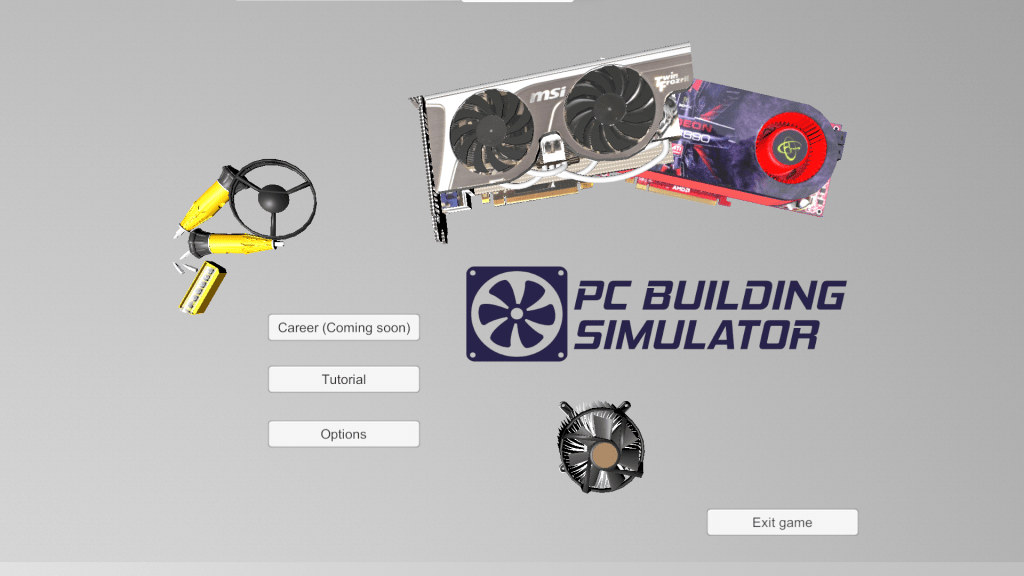

🖥️ Main Menu Overview
When you launch the simulator, you’ll see the following options:
- Career (Coming Soon) – This feature is currently under development.
- Tutorial – Begin here to learn the basics of PC building.
- Options – Adjust sound, graphics, and other game settings.
- Exit Game – Click here to close the simulator.

🚀 Getting Started with the Tutorial
- Click the “Tutorial” Button
- This will take you to the guided learning section where you’ll assemble a PC step-by-step.
- Follow On-Screen Prompts
- Drag and drop components like the CPU, RAM, GPU, motherboard, and power supply into the case.
- Use the virtual screwdriver when instructed.
- Learn the Purpose of Each Part
- The tutorial explains each component’s function and where it should be placed.
- Complete Your First Build
- Once all parts are properly installed, you’ll power on your virtual PC and see if it boots successfully.

🛠 Key Features to Explore
- Component Handling: Practice inserting and removing components without causing damage.
- Tool Usage: Learn how to use a screwdriver, thermal paste, and cable connections virtually.
- Visual Learning: Understand PC parts through 3D models of real components.

🧰 Tips for First-Time Users
- Take your time with each step in the tutorial.
- Hover over each part to get helpful tips and part descriptions.
- Mistakes are part of learning – try different build combinations!
- Use the Options Menu to adjust settings for better performance or accessibility.

📚 Learning Outcome
By the end of the tutorial, users will be able to:
- Identify the key hardware components of a PC.
- Properly assemble a desktop computer in the correct order.
- Recognize how each part contributes to PC functionality.

This simulator is perfect for students, beginners, or anyone looking to gain hands-on experience with computer assembly in a safe, virtual environment.


 Web-based Learning Tool for Computer system servicing Students